


Hoowalt D106 A32X/A35X/A38X PFD-ND-ECAM-E/WD 4-in-1-Display for MSFS 2020/2024 - Compatible with Fenix, PMDG, FBW & NEOV2 - Windows Home Cockpit Panel
Hoowalt D106 A32X/A35X/A38X PFD-ND-ECAM-E/WD 4-in-1-Display for MSFS 2020/2024 - Compatible with Fenix, PMDG, FBW & NEOV2 - Windows Home Cockpit Panel
Couldn't load pickup availability
Watch in action
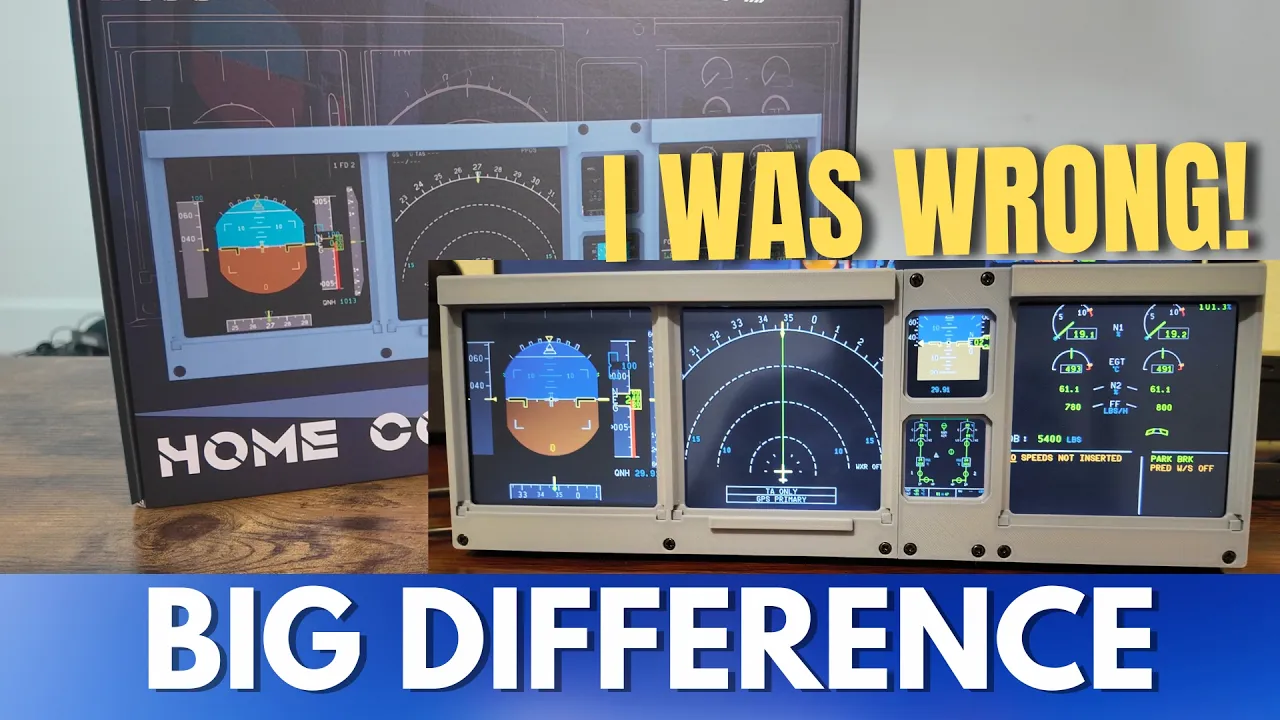
Hoowalt D106 Full Review
A comprehensive review of the Hoowalt D106 home flight simulator by our friend @SimWorldPro
The video shows you the unboxing, setup, and user experience of the simulator. Check it out!

Ultra-Wide 12.6-Inch Bar Screen
Features a 1920×515 resolution with HDMI interface, delivering crisp and detailed visuals. Perfectly displays PFD, ND, and ECAM content without compromise.

Compact & Precise Dimensions
Measuring 32 cm in length, 2.5 cm in thickness, and 12 cm in placement height (11.5 cm net height, 11 cm depth), designed for seamless cockpit integration.

MSFS2020 Compatibility
Fully supports major aircraft models such as Fenix, PMDG, FBW, and NEOV. Easily managed with Popout Manager for effortless screen projection.

Slim & Space-Saving Design
One-piece integrated print with an ultra-thin profile, equipped with a 75×75 mm VESA-mount, ensuring minimal desktop space usage.

Complete Accessory Package
Includes an HDMI cable and power cable to get you connected and flying right out of the box.
Hoowalt D106 Start Guide

D106 FAQ
Q: Can the D106 be used with Winflexsim and Winwing products?
A: It does not conflict with any devices. It's essentially just a secondary display. Think of it as a secondary monitor.
Q: Is the D106 compatible with the FSLabs A321 in MSFS2020?
A: For aircraft models usable in MSFS2020/2024, it can be used. You can pop out and position the window onto the D106 screen and remove the borders. It cannot be used with X-Plane (XP), as there is no compatible software. It does not conflict with any devices. It's essentially just a secondary display.
Q: What screen projection software does the D106 use?
A: popout manager
Q: Is it necessary to pop out the displays and drag them onto the D106 every time I start the simulator?
A: It's automatic. Automatic pop-out, automatic positioning, automatic removal of title bars. The final result will look like the image. Popping out the 5 instruments for the A320 takes about 15 seconds.
Q: Which aircraft models is the D106 compatible with?
A: It is compatible with almost all aircraft models in MSFS 2020/2024, but not compatible with XP12 or XP11.
Q: What software is needed for the D106?
A: It requires: msfs-popout-panel-manager, msfs-pop-out-panel-manager-2024.
They are actually different versions of the same software. They are open-source and do not require a subscription.
Q: What is the size of a single screen on the D106?
A: Single screen: 82.5mm * 82.5mm.
Q: How do I adjust the brightness of the D106?
A: There are a few methods:
First, adjust the ND brightness within the aircraft model.
Second, there are buttons on the back of the screen to adjust brightness.
If you still find it not bright enough, you can adjust the screen brightness in the NVIDIA Control Panel.
It is recommended to just increase the brightness via the aircraft model; adjusting via NVIDIA might make it too bright.
Q: How long is the included HDMI cable for the D106?
A: The included HDMI cable for the D106 is 2 meters long.
